Motionary4 min read
Porting ChatGPT's attachments menu to Expo Exact
We rebuilt our React Native ChatGPT attachments menu in Expo Exact: Liquid Glass, a photo grid, and a panel that opens right over the keyboard. What worked, and what Exact can't do yet.
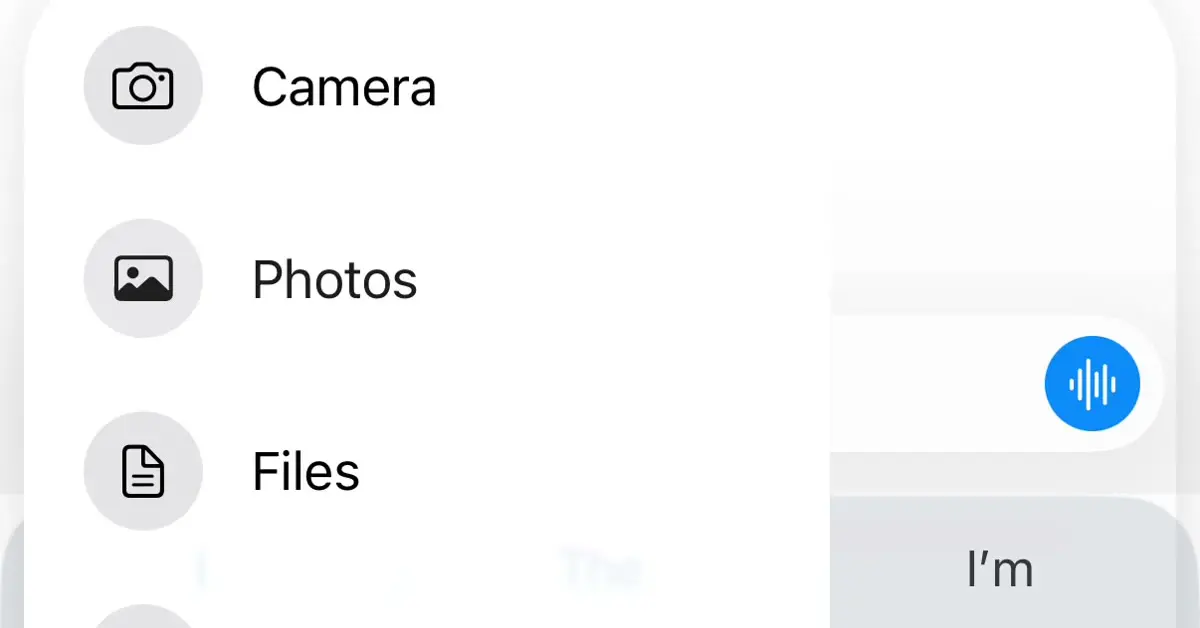
Expo just released Exact, a new app runtime where you write the UI in a small language called Contract. We took one of our most popular React Native drops, the ChatGPT style attachments menu, and rebuilt it in Exact: Liquid Glass, a grid of photos, and a panel that opens right over the keyboard. Here's how it went, and the four things Exact can't do yet.
What Exact is, in one minute
Exact is a cross-platform runtime from Expo, written in Rust. The UI lives in
.contract files, and logic goes in TypeScript or Rust. On iOS it
draws with UIKit, on the Mac with AppKit, and on the web with the real DOM, so
the same screen is native everywhere. It is built for coding agents: the agent
controls the clock, films motion frame by frame and runs one test file on every
platform. It is pre-alpha, and it does not replace React Native. Expo says the
Expo framework is staying.
We built this port with an agent, the way Exact intends: it read the React Native source, wrote the Contract, tested it on the web, the Mac and the iPhone simulator, and filmed every transition to check it.
The rule that changes how you animate
In Exact, only paint and transforms interpolate: translate, scale, rotate, opacity, colours, shadows and pixel heights. Width, padding and corner radius don't, because native layout isn't re-run on every frame. Our React Native version springs the panel's width, height and position together, so the morph had to be rebuilt:
- The panel's box changes with the menu's phase, and
-exact-layout-transitionanimates the surface between the three sizes, corners intact. - Everything inside is pinned to the panel's top-left corner at a fixed size, clipped by the panel, and fades in. Nothing jumps while the box resizes.
- A layout transition takes no spring, so a cubic-bezier that overshoots gives the bounce.
column position="absolute" overflow="hidden" border-radius=40
  left=(phase == "extended" ? 8 : (phase == "open" ? 28 : margin))
  width=(phase == "extended" ? viewport.width - 16 : (phase == "open" ? 270 : 46))
  height=(phase == "extended" ? 440 : (phase == "open" ? 280 : 46))
  -exact-layout-transition="460ms cubic-bezier(.3, 1.22, .45, 1)"
  backgroundMaterial="glass-clear"
From Reanimated to Contract
| React Native | Exact (Contract) |
|---|---|
withSpring(x, { stiffness: 260, damping: 22 }) | transition="translate -exact-spring(260, 22, 1)" |
withTiming(x, { duration: 200 }) | transition="opacity 200ms ease" |
layout={LinearTransition} | -exact-layout-transition="320ms ease" |
GlassView from expo-glass-effect | backgroundMaterial="glass" or "glass-clear" |
| Pulsar or expo-haptics | haptic("impact-soft"), system presets only |
useReducedMotion() | exactViewport().prefersReducedMotion |
Liquid Glass in Exact
backgroundMaterial="glass" is iOS 26's real Liquid Glass, not a
blur stand-in, and a pressable glass box reacts to touch on its own. Three
things we learned getting it to look like the original:
- Glass inside glass renders flat, like a plain blur. The Back and All Photos buttons have to be siblings of the glass panel, not children. The React Native version has the same limit.
- Never fade glass with opacity. It flattens the material. Bring glass controls in with scale instead.
- The tint is applied lightly. For darker glass that still refracts the photo behind it, use clear glass over a see-through dark background.
Opening over the keyboard
The original opens over the keyboard: the keys stay up and the panel covers them. That took the most work in Exact.
interactive-widget="overlays-content"keeps the page full height and reports the keyboard's height, so the composer rides the keys and widens as they rise, like React Native Keyboard Controller's sticky view.- Tapping any pressable moves focus to it and drops the keyboard, as a browser button does.
retainFocus=truekeeps the keys up. - Contract can't draw over the keys: iOS puts them in a system window above the app. We did what OverKeyboardView does in React Native. A small Swift hook moves the panel's view into the keyboard's window while the keys are up. Exact keeps laying it out, and taps still reach it.
- Exact's layout transition doesn't show inside that window, so over the keys the same hook springs the panel itself.
What Exact can't do yet
- A spring written inside a
derivestring never animates on the web, and nothing warns you. Write the spring on the node itself. -exact-press-scalefreezes the node's own animated scale. Animate an outer node and put the press on an inner one.- There's no way to draw over the keyboard without native code.
- iOS builds need Xcode 27.1. We built on Xcode 26.5 through a small local patch.
We sent all four to the Exact team through its agent diary, which is what it's there for.
Should you port to Exact?
Not your production app yet: it's pre-alpha, iOS is its strongest platform and Android is early. But for motion it's already very capable, and an agent can carry a port end to end. We're keeping React Native as our main product and adding Exact versions of our drops alongside it. The React Native version of this menu is here.
Is Expo Exact replacing React Native?
No. Exact is a separate, pre-alpha runtime. Expo says the Expo framework isn't going away, and an Expo app is still a React Native app.
Can Exact use Liquid Glass?
Yes. backgroundMaterial="glass" and "glass-clear" draw iOS 26's Liquid Glass on iPhone and the Mac, and a glass box with a press reacts to touch.
Can you animate width in Exact?
Not directly. Width, padding and corner radius don't interpolate. Use -exact-layout-transition for a box that changes size, or rebuild the effect from transforms over a fixed layout.
Expo ExactExactContractReact NativeExpoLiquid GlassAnimationChatGPT


